
Connecting your phone to your car stereo is one of the best upgrades you can make to your driving routine. It unlocks hands-free calling, turn-by-turn navigation, podcasts, and your full music library — all through the car’s speakers. And contrary to what many drivers assume, you don’t need a new car or a luxury trim to get it working.
Whether you drive a 2026 model with wireless Apple CarPlay or a 2004 sedan with only a cassette deck, there’s a connection method that fits. This guide walks through every option — Bluetooth, auxiliary cable, USB, FM transmitter, and smartphone integration — with exact steps for each, troubleshooting tips, and honest trade-offs so you can pick the right one the first time. For more on this, see our guide on how to connect iphone to car stereo.
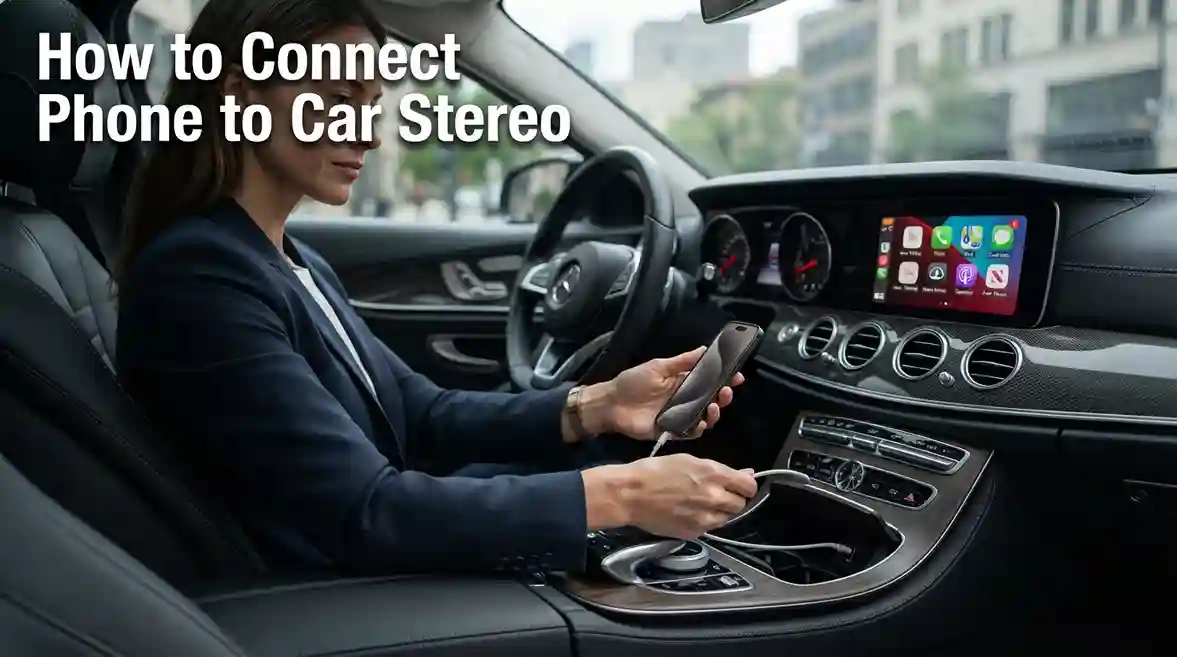
Know Your Connection Options First
Before touching any cables or settings, take 30 seconds to check what your car actually supports. Look at the stereo’s front panel and inside the center console. You’re hunting for three things: a Bluetooth logo, a small round aux port labelled “AUX,” or a USB port. If you see one of those, you’re already set. If not, an FM transmitter or a simple adapter will get you there.
Here’s a quick comparison of how each method performs in day-to-day use:
| Method | Audio Quality | Charges Phone | Hands-Free Calling | Setup Difficulty |
|---|---|---|---|---|
| Bluetooth | Good | No (wireless only) | Yes | Easy |
| Auxiliary cable | Very good | No | No | Very easy |
| USB | Excellent | Yes | Sometimes | Moderate |
| FM transmitter | Fair | Some models | No | Moderate |
| CarPlay / Android Auto | Excellent | Yes | Yes | Easy |
The “best” method depends on your car and what matters most. If you want one-cable simplicity and charging, USB wins. If you need wireless freedom, Bluetooth and CarPlay are the go-to. For more on this, see our guide on how to connect bluetooth to car stereo.
Connect Over Bluetooth (Wireless)
Bluetooth is the default choice for most drivers because it’s wire-free and handles calls, music, and voice assistants. Every car made in the last decade includes it, and setup takes about two minutes.
Step-by-Step Bluetooth Pairing
- Start your car so the stereo is fully powered on.
- On your phone, open Settings > Bluetooth and turn it on. Keep this screen open — you’ll need to tap your car’s name in a moment.
- On the stereo, press the Phone or Bluetooth button. Many systems show a prompt like “Add New Device” or “Pair Phone.”
- On your phone, wait for your car’s name to appear in the Bluetooth list, then tap it.
- If a code appears on the stereo screen, confirm it on your phone — or enter the number the stereo displays.
- When your phone says “Connected,” you’re done. Play any audio to confirm sound comes through the car speakers.
Getting Bluetooth Right the First Time
A few practical details make the difference between a smooth pairing and ten frustrating minutes:
- Delete old pairings. If your phone has connected to this car before and won’t connect now, remove the car from your phone’s Bluetooth list and the phone from the car’s saved devices, then start fresh.
- Be in Park. Most car stereos block Bluetooth pairing menus while the vehicle is moving. Pair while parked for the least friction.
- Keep other devices away. If you have wireless earbuds connected to your phone, the car might not grab the audio stream. Disconnect earbuds or turn off their Bluetooth first.
- Know your one-at-a-time limit. Cars store many paired phones, but only one can play audio at a time. You’ll need to manually switch devices in the stereo menu.
Bluetooth audio quality is good but not flawless. You may notice slight compression on high-fidelity music. If you’re an audiophile, you’ll likely prefer USB or aux. Bluetooth also drains the phone battery noticeably during long drives, so keep a charger handy. For more on this, see our guide on how to connect amplifier to car stereo.
A note on safety: hands-free calling and voice commands are a big reason phone integration matters. In the U.S., the National Highway Traffic Safety Administration (NHTSA) warns that manual phone use while driving is a leading cause of distraction-related crashes. Set everything up before you shift into drive.
Plug In with an Auxiliary Cable
The humble aux cable — a 3.5mm audio cord identical to classic headphone jacks — remains one of the most reliable ways to get great sound in any car built in the last 20 years. No pairing, no software, no battery drain. For more on this, see our guide on how to change language on car stereo.
Aux Connection Steps
- Locate the AUX input on your stereo — usually on the front panel, under the climate controls, or inside the center console.
- Plug one end of the cable into your phone (or your phone’s adapter).
- Plug the other end into the car’s AUX port.
- Press the AUX or Media button on the stereo to switch inputs.
- Press play on your phone and adjust the volume until it sounds clean.
When You Need an Adapter
If your phone has no headphone jack, you’re not stuck. Modern phones all work with the right adapter:
- iPhones with USB-C (iPhone 15 and later) need a USB-C to 3.5mm adapter.
- Older iPhones with a Lightning port need a Lightning to 3.5mm adapter.
- Most Android phones with USB-C need the same USB-C to 3.5mm adapter.
Quality matters here. A $2 unnamed adapter may introduce static or crackling; a certified adapter from Apple, Samsung, or a reputable brand will last far longer and sound cleaner.
The trade-offs of aux: no charging, no hands-free calling, and you must adjust volume on both the stereo and the phone. But for audio purity and sheer simplicity, it’s hard to beat. If your car has an aux port and you don’t need calls, this is your method. For more on this, see our guide on how to fix car stereo touch screen.
Use a USB Cable for Better Sound and Charging
A USB connection gives you the best of both worlds: excellent digital audio and simultaneous phone charging. Many newer stereos also let you control music apps directly from the dashboard when connected this way.
USB Connection Steps
- Find the USB port — typically in the center console, glovebox, or stereo faceplate.
- Plug your phone’s charging cable into the USB port, then into your phone.
- Press the USB or Media button on the stereo.
- If your phone asks for permission to share data, tap Allow — without it, some cars won’t recognize the device for audio.
- Start your music, podcast, or navigation app. Sound should route through the car speakers.
Is It Audio-Only or Charge-Only?
This is the most common point of confusion. Many cars — especially older models and base trims — have USB ports that only charge and don’t transmit audio. The easiest way to tell: plug in your phone and press the stereo’s USB input. If nothing plays, your port is charge-only.
If your car’s USB does support audio, you’ll often get access to features wired connections enable:
- Better sound quality than Bluetooth, because the audio stays digital end-to-end
- Dash-mounted app control — skip tracks and switch playlists without touching your phone
- Reliable charging during long trips
Some cars support USB audio but require you to enable it in the stereo’s source settings. If “USB” isn’t listed as an input, check the owner’s manual for the correct input name — some brands call it “iPod,” “Media,” or “Phone.”
Add Wireless Where There Is None: FM Transmitters
If your car has neither Bluetooth, AUX, nor audio-capable USB, an FM transmitter is your lifeline. These small devices plug into your phone’s USB or headphone port and broadcast audio over an FM frequency that your car radio picks up.
Setting Up an FM Transmitter
- Plug the transmitter into your phone’s charging port (or headphone jack on older units).
- Tune the transmitter to an unused FM frequency — pick something like 88.3 or 106.9 that has no local station.
- Set your car radio to the exact same frequency.
- Play audio on your phone and adjust volume on both devices.
Choosing the Right Frequency
This is where most problems happen. If you pick a frequency that’s close to a local station, you’ll hear interference — static, hissing, or bleed-through from the real broadcaster.
To find a clean frequency:
- Check the radio dial during your normal commute for dead spots where no station broadcasts.
- Choose frequencies in the 88–92 MHz range, which often have fewer local stations in suburban areas.
- If you hear interference, shift up or down by 0.1 MHz and retest.
FM Transmitter Pros and Cons
The audio quality is noticeably lower than aux or USB — you’re essentially listening to compressed FM radio. But the device costs almost nothing, works in literally any car with a radio, and some models double as a USB charger. They’re a smart stopgap, not a permanent solution.
For best results, keep the transmitter close to the car’s antenna (often near the rear window) and use a quality unit rather than the cheapest on the shelf. Many drivers report that spending a few extra dollars dramatically reduces background static.
Get the Full Dashboard Experience with CarPlay and Android Auto
Apple CarPlay and Android Auto are the gold standard. They mirror a simplified, drive-safe version of your phone onto the car’s touchscreen, giving you access to Maps, Spotify, WhatsApp, podcasts, and voice assistants — all with big buttons and fewer distractions.
Wired vs. Wireless Setup
Many new cars offer both options:
- Wired CarPlay/Android Auto: Plug your phone into a specific USB port — often labelled with a phone icon — and the system launches automatically. This provides the fastest, most stable connection and charges your phone.
- Wireless CarPlay/Android Auto: The car connects to your phone over Wi-Fi and Bluetooth when you get in. No cables needed, but battery drain is higher and setup can occasionally be finicky.
CarPlay and Android Auto Connection Steps
- Check your car’s manual for which USB port supports smartphone projection — it’s not always the one closest to the driver.
- Plug in your phone using a high-quality, preferably original cable. Cheap cables are the #1 cause of CarPlay that won’t connect.
- On your phone, accept the prompt asking to allow CarPlay or Android Auto. You may need to confirm once, and the system will remember it afterward.
- Launch an app like Apple Maps, Google Maps, or Spotify. It should appear on the car’s screen.
- If nothing happens, check the car’s settings menu — some systems require you to enable CarPlay or Android Auto in the connectivity options first.
Getting Around Common CarPlay and Android Auto Issues
- Only works in one USB port? That’s normal — many cars reserve one port for data and use others for charging only.
- Connection drops while driving? Try a shorter, certified cable and make sure it’s not coiled tightly. Interference from cheap cables is a common culprit.
- Phone not recognized? Update your phone’s operating system. Major iOS and Android updates occasionally change how the integration handshake works, and car systems can lag behind.
Modern cars increasingly come with wireless CarPlay and Android Auto standard, but the wired connection still delivers more stable overall performance — plus a charged phone at the end of your trip.
Connect Old Cars with Simple Upgrades
If your car has none of the above — no Bluetooth, no AUX, no usable USB — you have three solid upgrade paths. None requires buying a new vehicle.
Bluetooth Adapters for AUX Ports or Cigarette Lighters
The easiest fix for an old car is a Bluetooth receiver that plugs into the AUX port or cigarette lighter. You pair your phone with the adapter, and it feeds audio into the car’s AUX or FM input. Most units cost less than a tank of gas and install in seconds. Some even include a microphone for hands-free calls.
Cassette Adapters for Classic Cars
If your car still has a cassette deck, don’t laugh — a cassette adapter (the kind with a wire coming out of a dummy tape) works surprisingly well. Insert it, switch to tape mode, and plug the wire into your phone. Audio quality is decent, and it requires zero power.
Aftermarket Stereos for a Permanent Fix
If you plan to keep the car for a while, a replacement stereo with built-in Bluetooth, CarPlay, or Android Auto is the most complete solution. A basic Bluetooth stereo costs surprisingly little, and installation is straightforward in most cars — either DIY or at a professional shop. This is the only option that gives you modern features, dashboard controls, and reliable hands-free calling all at once.
The point: no car is too old to get phone connectivity. Choose the adapter that matches your stereo’s existing inputs, save for a proper head unit if the car is worth keeping, and you’ll never have to suffer through dashboard phone-holder speakers again.
Which Connection Method Should You Actually Use?
With so many options, it helps to match the method to your driving style:
| Your Priority | Best Choice | Runner-Up |
|---|---|---|
| Best sound quality | USB | Auxiliary cable |
| Hands-free calling | Bluetooth | CarPlay / Android Auto |
| Charging + audio together | USB | CarPlay / Android Auto (wired) |
| Old car, no modern inputs | FM transmitter | Bluetooth adapter (AUX) |
| Easiest everyday experience | Bluetooth | Wireless CarPlay / Android Auto |
Start with what your car already has. If you have Bluetooth, master it before buying anything else. If audio quality disappoints you, move to USB or aux. If your car has no modern inputs at all, an FM transmitter gets you running today, and a Bluetooth adapter or aftermarket stereo is your longer-term upgrade.
Troubleshooting Common Connection Problems
Even with the right equipment, things occasionally go wrong. These are the issues drivers run into most, and the fixes that actually solve them.
- No sound when playing music: The stereo is almost certainly set to the wrong input. Press the Media/Audio button to cycle through sources (Bluetooth, AUX, USB, FM) until you land on the one you’re using.
- Bluetooth pairs but keeps disconnecting: Delete the pairing from both the car and the phone, then re-pair from scratch. If it still drops, your phone’s battery optimization settings may be killing Bluetooth in the background — check your phone’s power settings and exclude the car stereo app from battery restrictions.
- Static or crackling on aux: Try a different cable. Damaged or ultra-cheap aux cables are responsible for 90% of static complaints.
- FM transmitter interference: Change to a different frequency. If interference persists, move the transmitter away from metal objects and toward the car’s antenna.
- CarPlay/Android Auto won’t activate: Swap to a certified USB cable, try a different USB port, and confirm the feature is enabled in the car’s settings menu.
- Stereo menus are confusing or in the wrong language: Many imported or customized stereos boot into a language you didn’t expect. Before you struggle through menus, look up how to change the language on your car stereo — it takes less than a minute and makes every other setting easier to find.
Most connection problems come down to the cable, the input selection, or a stale pairing. Fix those three and you’ll solve the majority of issues.
Get the Best Audio Quality from Any Connection
Sound quality isn’t just about the cable — a few habits make a measurable difference regardless of method:
- Buy quality cables and adapters. This is the single biggest upgrade you can make. A certified USB cable or a well-shielded aux cable eliminates static and guarantees stable data transfer.
- Set volume levels sensibly. If both your phone and stereo are at max volume, you’ll get distortion. Aim for 70–80% on the phone and adjust the remaining volume on the stereo.
- Use your phone’s EQ settings. Spotify, Apple Music, and Android’s system settings all have equalizer options. A mild EQ tweak, like boosting clarity, often sounds better than the default flat output.
- Keep software updated. Phone OS updates patch Bluetooth bugs and improve connection stability with car systems. An update has fixed countless pairing issues.
- Secure your phone. Use a magnetic or vent mount so your phone stays visible for navigation without becoming a distraction. If you’re interested in keeping your car’s interior clean and well-maintained, our blog has guides on protecting your seats and interior from everyday wear.
Frequently Asked Questions
How do I know which connection method my car supports?
Check your owner’s manual or look for three things: a Bluetooth logo, a 3.5mm AUX port, or a USB port. Most cars built since 2010 have at least one of these. If you can’t find any, an FM transmitter will work with any car that has a radio.
What should I do if my phone doesn’t have a headphone jack?
Use a USB-C or Lightning to 3.5mm adapter (depending on your phone model). These cost little and restore aux and FM transmitter compatibility instantly.
Can I connect multiple phones to my car stereo?
Yes — most stereos store several paired phones. But only one can play audio at a time, and switching usually requires diving into the stereo’s Bluetooth settings. This is normal behavior across all major brandsof car stereos — it’s a standard limitation, not a defect.
Is Bluetooth audio quality as good as wired connections?
Bluetooth uses a lossy compression codec, which means you’re not hearing the full audio detail from your music files. For spoken-word content and most podcasts, the difference is negligible. But for music, the gap is real — USB and aux connections deliver noticeably cleaner highs and tighter bass. If you have a premium sound system and care about fidelity, choose wired. If you’re listening to Spotify in a car with factory speakers, Bluetooth will sound perfectly fine.
Are aftermarket adapters and stereos safe and reliable?
Yes, when you buy from established brands. Bluetooth adapters, cassette adapters, and replacement stereos from reputable manufacturers are engineered to automotive temperature and vibration standards. The main safety consideration is installation — a loose aftermarket stereo or an unsecured adapter cable can become a distraction or a hazard in a crash. If you’re not comfortable with wiring, pay a shop for installation; it’s a modest cost that ensures everything stays put.
What’s the best method for hands-free calling?
Bluetooth and CarPlay/Android Auto are the only options that support hands-free calling. Aux and USB connections carry audio only — they won’t route phone calls through your car speakers. If making calls is a priority, Bluetooth is the minimum you need, and CarPlay/Android Auto is the best experience because it adds voice-activated Siri or Google Assistant for composing messages and placing calls without touching your phone.
Conclusion
Connecting your phone to your car stereo isn’t a single one-size-fits-all process — it’s a short list of reliable methods that every match to a specific car and driver. Bluetooth covers most modern vehicles with effortless wireless pairing and hands-free calling. Aux and USB deliver better sound with nearly no setup. FM transmitters rescue older cars with zero modern inputs. And CarPlay and Android Auto offer the safest, most feature-rich experience for compatible vehicles.
Start with what your car already has: check for a Bluetooth logo, an AUX port, or a USB input, and use the matching steps above. If none are available, an FM transmitter gets you working today, and a Bluetooth adapter or aftermarket stereo is a worthwhile upgrade for any car you plan to keep. Whichever method you choose, set it up while parked, use a quality cable, keep your phone charged and securely mounted, and you’ll enjoy safer, more entertaining drives every single time.

Leave a Reply