
A dead battery is the most common reason a car won’t start, and it always seems to happen at the worst possible moment. The good news? You can check your battery’s condition yourself in a few minutes with an OBD2 scanner—no mechanic needed, no expensive diagnostic fees.
Modern OBD2 scanners do far more than read the check-engine light. Many models display live battery voltage, charging system output, and even detailed health reports. This guide walks you through the entire process, explains what the numbers actually mean, and shows you how to avoid the mistakes that lead to false readings. You can also read our guide on how long do hybrid car batteries last.
By the end, you'll know exactly how to check car battery health with an OBD2 scanner and when it's time to replace the battery before it leaves you stranded.
What Your OBD2 Scanner Can Tell You About the Battery
Before plugging anything in, it helps to understand what your car’s diagnostic system can and cannot measure.
OBD2 (On-Board Diagnostics, version 2) is the standardized system built into every car sold in the United States since 1996. When you connect a scanner to the OBD2 port, it communicates with your car’s Engine Control Unit (ECU) and retrieves diagnostic data—including information about the electrical system. For more on this, see our guide on how to check fuel injectors with obd2 scanner.
Most OBD2 scanners for battery health measure several key values:
- Battery voltage — the baseline electrical pressure, measured in volts
- Charging voltage — what the alternator produces while the engine runs
- Live data streams — real-time values your car’s sensors report
- Diagnostic trouble codes (DTCs) — error codes tied to the charging system
However, there's an important limitation. A standard OBD2 scanner measures voltage, which is not the same as battery capacity. Voltage tells you the electrical pressure available; capacity tells you how much energy the battery can store. A battery with a dead cell can sometimes show reasonable voltage but fail under load when you turn the key. Understanding this distinction helps you interpret readings accurately.
What Normal Battery Voltage Looks Like
For a typical 12-volt lead-acid car battery, the rules are straightforward:
- 12.6 to 12.8 volts — fully charged, excellent condition
- 12.4 to 12.6 volts — good, approximately 75–100% charged
- 12.2 to 12.4 volts — acceptable, roughly 50–75% charged, starting to weaken
- 12.0 to 12.2 volts — low, below 50% charge, risking starting issues
- Below 12.0 volts — weak, high risk of failure
Inspecting live battery voltage on an OBD2 diagnostic screen.
Choosing the Right OBD2 Scanner for Battery Testing
Not every OBD2 scanner can check battery health. Basic code readers only pull and clear error codes. To measure voltage and charging output, you need a scanner with live data capability. For more on this, see our guide on obd2 scanner for hybrid vehicles guide.
There are three main types to consider:
| Scanner Type | Typical Cost | Battery Health Features | Best For |
|---|---|---|---|
| Basic code reader | $20–$50 | Error codes only | Reading check-engine lights |
| Handheld diagnostic scanner | $50–$200 | Live voltage, charging data, some health info | Home mechanics, DIYers |
| Bluetooth scanner + smartphone app | $20–$100 | Live data via app, varies by app quality | Tech-savvy users who want portability |
| Professional scan tool | $250+ | Advanced battery and system analysis | Workshops and professionals |
For most drivers, a mid-range handheld scanner or a reputable Bluetooth adapter with a well-reviewed app offers the best balance of cost and capability. Before buying, always check the product specifications for terms like "live data," "battery voltage," or "charging system test." If the listing doesn't mention battery health features, assume it doesn't have them.
Bluetooth Adapters: A Word of Caution
Bluetooth OBD2 adapters are convenient and affordable, but the app you pair them with determines what you can see. Some free apps show voltage only, while paid premium versions offer charging system analysis. Read recent app reviews before purchasing—what works well with an iPhone may be clunky on Android, and vice versa. For more on this, see our guide on how to check engine temperature with obd2 scanner.
Preparing for an Accurate Battery Health Check
Getting reliable readings requires a controlled setup. Follow these steps before you even look at the scanner.
What You Need
- OBD2 scanner with live data capability
- Your car owner’s manual (to locate the OBD2 port)
- A clean work area
- Your phone or a notebook to record readings
The Right Conditions
Accurate testing starts with the right environment:
- Park on a level surface and engage the parking brake
- Engine completely off for the first reading
- All electronics off — radio, lights, air conditioning, interior lights
- Car doors closed — dome lights draw power and skew reading
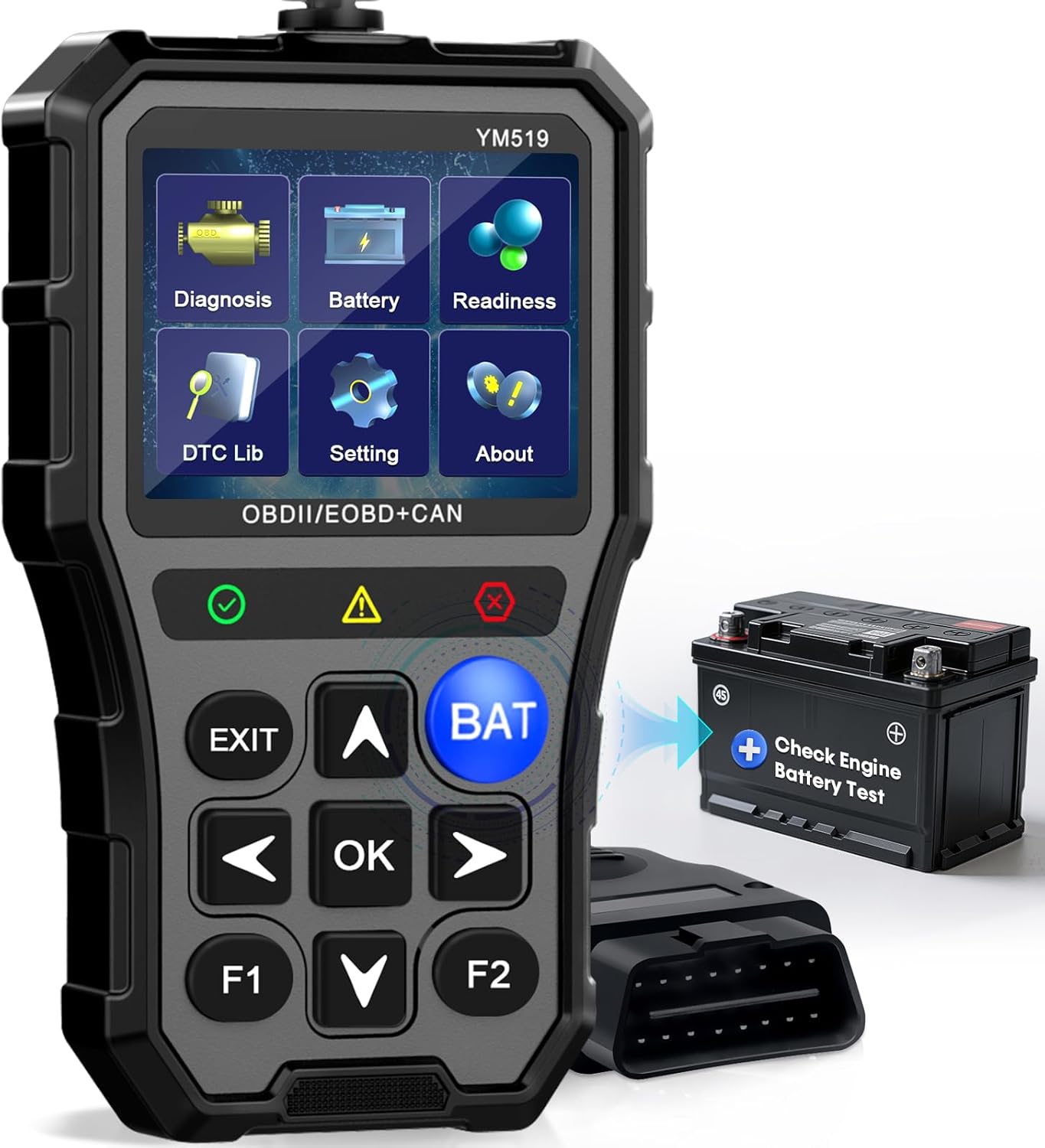
Connecting a handheld scan tool to the OBD2 diagnostic port.
Temperature matters more than most people realize. Cold weather temporarily lowers battery voltage, while extreme heat can make a weak battery look acceptable. For the most honest picture, test when the outdoor temperature is moderate—roughly 50°F to 80°F—and after the car has sat for at least an hour without being driven.
Step-by-Step: How to Check Car Battery Health With an OBD2 Scanner
With your vehicle prepped, here's the complete process from start to finish.
Step 1: Locate the OBD2 Port
The OBD2 port is almost always under the dashboard on the driver's side, within a couple feet of the steering wheel. It's a flat, trapezoidal connector with 16 pins. Some vehicles hide it behind a plastic cover or fuse panel door. If you can't find it, your owner's manual will show the exact location. For more on this, see our guide on turbo performance check in obd2 scanner.
Step 2: Connect the Scanner
With the engine off, plug the scanner firmly into the OBD2 port. A functioning battery powers the scanner immediately—if the device doesn't light up, that tells you something right there. For Bluetooth adapters, plug in the device and open the companion app on your phone.
Step 3: Turn the Ignition to "ON" (Without Starting)
Turn the key to the "ON" position—the position just before the starter engages. You'll see dashboard warning lights illuminate. This wakes up the car's computer without drawing heavy starter current.
Step 4: Navigate to the Battery or Voltage Menu
On a handheld scanner, use the menu to find Live Data or Data Stream. Look for labels like:
- "Battery Voltage"
- "System Voltage"
- "Charging System"
- "Electrical System"
The exact wording varies by brand. On some scanners, voltage appears immediately on the home screen.
Step 5: Record the Engine-Off Voltage
Read the displayed voltage. This is your baseline. Let the number stabilize for about 15–20 seconds before recording it. Intermittent fluctuations could indicate loose wiring or a tired battery.
Step 6: Test the Charging Circuit
Start the engine and watch how the voltage responds. The alternator should push the reading much higher while the engine idles. This indicates your alternator is effectively charging the system and your battery is accepting the charge.
Step 7: Test Under Electrical Load (Optional)
Turn on the headlights, blower motor on high, and rear defroster. Voltage should drop—that's normal. In a healthy system, the alternator compensates within a few seconds. If it dips dramatically, the charging system is struggling.
Step 8: Record Everything
Write down both readings—engine off and engine running. Compare them to the reference table. Tracking readings over several months reveals gradual battery decline that a single reading misses.
What Your Voltage Readings Really Mean
Numbers are only useful if you know how to interpret them.
Engine-Off Readings (Resting Voltage)
- 12.6 V or higher: The battery starts healthy. If your car cranks slowly, look elsewhere—starter, cables, or connections.
- 12.4–12.6 V: Solid but with a slight surface charge. Run the test with headlights on for 30 seconds, then off, and re-test to clear surface charge.
- 12.0–12.4 V: The battery is partially discharged. Recharge fully and retest. If it discharges again within a week, internal degradation is likely.
- Under 12.0 V: The battery is severely depleted. It may still start the car, but its capacity is compromised. Replacement is recommended, especially if the battery is over three years old.
Engine-Off Readings Unlikely to Show Problems
Note that a resting voltage test won't detect a battery that fails under load—for instance, one that shows 12.6 V when the car is parked but that can't deliver the hundreds of amps needed to spin the starter. For that reason, voltage readings are just one part of the picture. The cranking behavior and the charging voltage are equally telling.
Engine-Off Voltage with a Good Battery
A well-maintained battery that's not connected to a charger should hold its voltage for weeks. If your scanner shows a significant drop after just a few days of sitting (say, from 12.6 V to 12.1 V), the battery is sulfating or has a shorted cell—even if the car still starts.
Engine-Running Readings (Charging Voltage)
Healthy charging voltage: 13.7 to 14.7 volts.
- 13.7 V +: The alternator is charging properly.
- 13.5–13.7 V: Still acceptable, though slightly on the low side.
- Below 13.5 V: The alternator may be failing, or the battery is so weak it cannot accept a proper charge.
- Above 14.8 V: Overcharging condition. This can cook a battery and shorten its life. The voltage regulator may be faulty.

A diagnostic scan tool displaying the complete charging and battery status.
Reading Battery and Charging System Error Codes
Diagnostic trouble codes (DTCs) offer another angle. When your scanner is connected, check for codes related to the electrical system. They often begin with the letter "P" and include:
- P0560: System voltage malfunction (sometimes a generic electrical fault)
- P0562: System voltage low — the computer is seeing voltage below its expected threshold
- P0563: System voltage high — potential regulator or alternator failure
- P0620: Generator/alternator control circuit — the ECU cannot properly manage charging output
If your scanner displays any of these codes, you have a problem even if the car runs fine. Low-voltage codes often appear in the days before a battery or alternator completely fails. Investigate promptly.
How to Distinguish a Failing Battery from a Failing Alternator
This is the question that confuses countless drivers. The scanner data points you in the right direction:
| Symptom | Battery Issue | Alternator Issue |
|---|---|---|
| Engine-off voltage below 12.4 V | Likely | Unlikely |
| Engine-off voltage normal, engine cranks slowly | Possible | Possible |
| Charging voltage below 13.5 V while running | Possible (weak battery resists charge) | Likely |
| Charging voltage above 14.8 V while running | Unlikely | Strong indication (voltage regulator) |
| Dashboard battery warning light flickers | Possible | Likely |
A common scenario: You replaced the battery recently, but the car still won't start. Your scanner shows 12.6 V with the engine off and 12.2 V while running. The alternator isn't charging. The new battery was an unnecessary purchase because the real fault was the alternator all along.
Testing both readings—engine off and engine running—prevents this expensive mistake.
Comparing OBD2 Testing to Traditional Battery Tests
OBD2 scanning measures voltage, which is a proxy for health. Traditional battery testers take a different approach:
- Conductance testers: Send a low-frequency signal through the battery to estimate its capacity (Cold Cranking Amps). These are the tools professional shops use for definitive health assessments.
- Load testers: Draw a substantial current (typically half the CCA rating) for 10–15 seconds while monitoring voltage. This simulates the stress of starting.
- Hydrometers: Measure the specific gravity of electrolyte in each cell of a flooded lead-acid battery. This detects a weak cell that might not show up in voltage testing.
For a full picture, combining an OBD2 scan with a conductance test is the gold standard. If your OBD2 readings suggest problems, many auto parts stores run a free load or conductance test. This secondary confirmation tells you whether to replace the battery or keep driving.
Reviewing the charging circuit status on a modern diagnostic scanner.
Common Mistakes That Ruin Battery Health Readings
Even experienced DIYers make these errors:
Testing a Cold Battery Immediately After Cranking
Cranking the engine draws enormous current and temporarily depletes the battery's surface charge. If you test right after starting the car, the engine-off voltage reading will be inaccurate. Wait at least 30 minutes after driving before testing.
Leaving Electronics On
Interior lights, phone chargers, or a radio left running draw current and lower the resting voltage reading. Before testing, make sure every accessory is off and all doors are shut.
Testing a Battery Right After Charging
A freshly charged battery carries a "surface charge" that inflates voltage readings. After charging, wait several hours—or discharge the surface charge by turning on the headlights for 30 seconds—before relying on the number.
Ignoring the Age of the Battery
Voltage doesn't tell you how old the battery is. A battery past the five-year mark can show perfect voltage today and fail tomorrow. Always factor in age, and look for the date stamp on the battery case (a sticker with a letter for the month and a number for the year—"G24" means July 2024).
Additional Data Your OBD2 Scanner May Provide
Higher-end scanners and apps offer battery data beyond raw voltage:
- State of Charge (SoC): Estimated remaining capacity as a percentage
- State of Health (SoH): An overall condition index, usually a percentage
- Cranking voltage: Voltage during the start event, showing how far the battery drops under load
- Cranking time: How long the starter runs before the engine catches
If your tool displays these, track the values over several months. A slow decline in SoH percentage signals the battery is nearing the end of life, giving you lead time to plan a replacement.
When Should You Check Battery Health?
- Monthly for routine peace of mind (especially for vehicles that sit unused for days)
- Before long road trips or seasonal changes (extreme weather is hard on batteries)
- After any jump-start or if you notice slow cranking
- Whenever you see the battery warning light or any electrical oddity
Many modern cars with stop-start systems and extensive electronics place extra demand on the battery. If you drive one of these vehicles, a monthly check is inexpensive insurance.
How to Extend Your Battery's Life
A few habits keep your battery healthier for longer:
- Drive regularly: Short trips of a few minutes don't give the alternator time to replace the energy used by starting. If your car sits for long periods, use a battery maintainer.
- Keep terminals clean: Corrosion on battery terminals increases resistance, preventing proper charging. Inspect a couple times a year and clean with a baking soda and water solution if needed.
- Limit accessory load when possible: Running the headlights, seat heaters, and blower on high while the engine is idling can drain the battery, especially in winter.
- Minimize extreme heat exposure: Heat is the number-one battery killer. Parking in shade during summer can meaningfully extend battery life.
Frequently Asked Questions
How often should I check my car battery health with an OBD2 scanner?
Monthly checks are sufficient for most drivers. If you notice slow cranking, dimming headlights, or the battery light flickering, test immediately. Batteries older than three years warrant more frequent testing.
Can all OBD2 scanners check battery health?
No. Basic code readers only read and clear error codes. You need a scanner with live data mode, which displays real-time voltage and charging system readings. Bluetooth adapters paired with good smartphone apps can do this, but verify the app includes the battery data before purchasing.
What does a battery voltage of 12.1 volts mean?
It means the battery is below 50% of its charge and at low health. It may start the car today, but cold weather or a day of inactivity could push it over the edge. Recharge it fully and retest. If it drops back below 12.4 volts within a few days, the battery is likely degraded and should be replaced.
Is it safe to check battery health with OBD2 in cold or hot weather?
Extreme temperatures skew results. In cold weather, voltage reads lower than normal; in hot weather, it can read slightly higher. For accuracy, test in moderate temperatures (around 50–80°F) or after the car has been parked in a garage.
Can an OBD2 scanner detect a dead cell in my battery?
Not reliably. A scanner measures overall voltage, but a dead cell may still allow the battery to show a superficially acceptable reading. If your voltage looks fine but the car struggles to start, have a professional perform a load test or conductance test to catch internal damage.
Why does my scanner show good voltage but my car still won't start?
Multiple causes exist: a failing starter motor, corroded or loose battery cable connections, a bad ground strap, or an intermittent alternator issue. Silicone dielectric grease on terminals can also create a high-resistance connection that reads fine on a scanner but can't deliver starting current. In this situation, check cable connections and consider a load test.
Will a completely dead battery damage my car?
A deeply discharged battery can suffer sulfate crystal buildup that permanently reduces capacity. Repeated deep discharges are a common cause of premature battery failure. Regular voltage checks help you avoid reaching this state.
The Bottom Line
Checking your battery health with an OBD2 scanner takes less time than checking your oil and can prevent one of the most frustrating and avoidable breakdowns. The process is simple—connect, read, compare—but the value of understanding what the numbers mean is significant when it comes to avoiding unexpected replacement costs and roadside emergencies.
Track your readings over time, and don't rely on a single measurement. The battery that reads 12.6 volts today might show 11.9 volts six months later after a cold night. That gradual change is the signal to act before you're stranded.
If your scanner points to trouble, consider a professional load test to confirm before spending money on a replacement. And remember: a 12-volt battery health check is just one part of a healthy vehicle. Make battery testing part of a routine check that also covers your tires, fluids, and other basic maintenance—using an OBD2 scanner gives you a snapshot of your car's overall electrical condition that's hard to beat for the price.

Leave a Reply