
There you are, cruising down the highway, and suddenly your music cuts out. The screen goes black, the unit reboots, and all your carefully tuned presets, bass settings, and clock are gone. It’s annoying, and if it happens often, you start to wonder if your stereo is dying or if your car’s electrical system is failing.
The good news? A resetting car stereo is rarely a mystery that requires a costly trip to the shop. In most cases, it comes down to a handful of identifiable causes—many of which you can diagnose and fix yourself with basic tools. This guide walks you through every likely culprit, shows you how to pinpoint the exact issue, and gives you clear, practical steps to make the problem disappear for good. You can also read our guide on car stereo wiring color codes.
The Most Common Causes of Stereo Resets
Before you start pulling wires, it helps to understand why a stereo loses its memory in the first place. Your car stereo relies on two separate power sources: a constant 12V feed (usually a yellow wire) that keeps the clock and settings alive when the car is off, and a switched 12V feed (usually a red wire) that powers the unit when the ignition is on. When either of these is interrupted—or when the voltage dips below what the stereo needs—it resets.
Here are the most frequent reasons this happens, ranked roughly from most to least common.
1. A Failing or Weak Car Battery
Your car battery is the foundation of the entire electrical system. If it’s old, sulfated, or simply not holding a full charge, the voltage can drop below the 12.4–12.6 volts a stereo needs to retain its memory. This is especially noticeable during engine startup, when the starter motor draws a massive amount of current and temporarily starves other components. For more on this, see our guide on why does my car stereo drain my battery.
How to check: With the car off, use a multimeter on the battery terminals. A healthy battery reads around 12.6V. If you see 12.0V or less, the battery is likely struggling. A load test at an auto parts store can confirm whether it needs replacing.
2. A Disconnected or Faulty Memory Wire
This is the classic aftermarket installation mistake. The yellow memory wire must be connected to a power source that stays live even when the ignition is off. If it’s accidentally wired to the switched power (the red wire) or left unconnected, your stereo will forget everything every time you turn the key. For more on this, see our guide on how much does car stereo installation cost.
The telltale sign: Your stereo resets every single time you turn the ignition off and back on, without fail.
3. Poor or Corroded Ground Connection
The ground wire (usually black) completes the circuit. If it’s loose, corroded, or attached to a painted or rusty surface, the stereo can experience intermittent power loss. A bad ground often causes resets that happen randomly while driving, sometimes accompanied by static or buzzing from the speakers.
4. Loose or Corroded Battery Terminals
Even if the battery itself is fine, a loose or corroded connection at the terminals can cause voltage fluctuations. A bump in the road or a sudden acceleration can momentarily break the connection, causing the stereo to reboot. For more on this, see our guide on why is my car stereo not turning on.
5. Blown or Weak Fuses
Your stereo has a fuse, usually in the car’s fuse box and sometimes on the back of the unit itself. A fuse that’s blown will cause a complete loss of power. A fuse that’s partially broken or not seated properly can cause intermittent resets. Always replace a blown fuse with one of the exact same amperage rating.
6. A Failing Alternator
The alternator charges the battery and powers the electrical system while the engine runs. If it’s failing, it can produce voltage that’s too high or too low. Both scenarios can cause your stereo to reset. If you notice your headlights dimming or flickering alongside the stereo resets, the alternator is a prime suspect.
7. Software or Firmware Glitches
Modern touchscreen stereos are essentially small computers. Like any computer, they can suffer from software bugs, corrupted files, or failed updates that cause random reboots. This is more common in aftermarket units with Android or proprietary operating systems.
8. Overheating
Electronics and heat don’t mix. If your stereo is installed in a tight dash cavity with poor airflow, or if the cabin gets extremely hot, the unit may overheat and shut down as a protective measure. This often happens after the stereo has been on for a while, not just at startup.
9. Aftermarket Installation Errors
Beyond the memory wire, other installation mistakes can cause resets. Using a cheap, poorly fitting wiring harness, failing to connect the required data adapter for your car model, or simply having a loose connection in the back of the unit can all lead to intermittent power loss.
10. Internal Hardware Failure
If you’ve ruled out everything else, the problem may be inside the stereo itself. Aging capacitors, cracked solder joints on the circuit board, or a failing internal power supply can all cause resets. This is more common in older units or those that have been subjected to years of heat and vibration.
How to Diagnose the Exact Problem
Instead of guessing, follow this systematic approach. It will save you time and money.
Step 1: Observe the Pattern
The timing of the reset is your biggest clue.
- Resets only when starting the engine? This points to a weak battery or poor battery terminal connection.
- Resets every time you turn the ignition off? This is almost certainly a memory wire issue.
- Resets randomly while driving? This suggests a bad ground, a loose connection, or an alternator problem.
- Resets after the stereo has been on for a while? This points to overheating.
Step 2: Test the Battery and Charging System
- Battery at rest: Should read 12.4V or higher.
- Battery with engine running: Should read between 13.8V and 14.4V. If it’s lower, the alternator may be undercharging. If it’s higher, it may be overcharging.
Step 3: Inspect the Wiring Behind the Stereo
Pull the stereo out (you may need a set of dash removal tools) and visually inspect the connections.
- Is the yellow wire connected to a constant 12V source?
- Is the ground wire attached to a clean, bare metal surface?
- Are all connections tight and free of corrosion?
Step 4: Check the Fuses
Locate the stereo fuse in your car’s fuse box. Pull it out and inspect it. Even if the metal strip looks intact, consider replacing it with a new fuse of the same rating, as old fuses can become weak.
Step 5: Look for Software Updates
If your stereo is a modern touchscreen unit, check the manufacturer’s website for firmware updates. A simple update can fix a known bug causing random resets.
Step 6: Feel for Heat
After a long drive, carefully touch the face of the stereo and the area around it. If it’s uncomfortably hot, overheating is likely a factor.
Here’s a quick reference table to help you narrow it down:
| Cause | When Reset Happens | Best First Check |
|---|---|---|
| Weak Battery | During engine start | Test battery voltage |
| Memory Wire Fault | After ignition off/on | Check yellow wire connection |
| Bad Ground | Random while driving | Inspect ground wire |
| Loose Battery Terminals | On bumps or acceleration | Tighten and clean terminals |
| Failing Alternator | While driving, with dimming lights | Test charging voltage |
| Software Bug | Random or after update | Update or reset firmware |
| Overheating | After prolonged use | Check for blocked vents |

Inspecting the wiring harness is the first step in diagnosing a memory wire issue.
Credit: keeferlaw.org
How to Fix a Car Stereo That Keeps Resetting
Once you’ve identified the likely cause, here’s how to fix it. Most of these are simple DIY tasks.
Fixing Power Supply and Battery Issues
- Clean the battery terminals with a wire brush and a solution of baking soda and water to remove corrosion.
- Tighten the battery clamps so they are snug and cannot move.
- Replace the battery if it’s more than four years old or fails a load test.
Repairing the Memory Wire Connection
- Locate the yellow wire behind the stereo.
- Use a multimeter to confirm it has 12V power with the ignition off.
- If it doesn’t, you’ll need to run a new wire from the yellow wire to a constant 12V source, such as the fuse box or the battery itself (with an inline fuse).
Improving the Ground Connection
- Remove the ground wire from the chassis.
- Use sandpaper or a wire brush to clean the metal surface down to bare metal.
- Reattach the ground wire securely. If the existing wire is damaged, replace it with a new one of the same gauge.
Replacing Fuses
- Pull the stereo’s fuse from the fuse box.
- Replace it with a new fuse of the exact same amperage (usually 10A or 15A). Never use a higher-rated fuse, as this can damage the stereo or cause a fire.
Updating or Resetting the Software
- Visit the manufacturer’s website and download the latest firmware for your specific model.
- Follow the instructions to update the unit. If a firmware update isn’t available, try a factory reset from the stereo’s settings menu.
Fixing Overheating Issues
- Use compressed air to blow dust out of the stereo’s vents and the dash cavity.
- Ensure the stereo isn’t crammed tightly against the back of the dash, which can restrict airflow.
- If the problem persists, consider installing a small 12V cooling fan behind the unit.
Correcting Installation Mistakes
- Double-check every wire connection against the wiring diagram for both your car and the stereo.
- Pay special attention to the yellow (memory), red (ignition), and black (ground) wires.
- If you used a cheap wiring harness, consider replacing it with a high-quality, car-specific adapter. This is a common source of intermittent problems.
When to Replace the Stereo
If you’ve tried all the above and the problem persists, the internal hardware is likely failing. For an older or budget stereo, the cost of professional repair often exceeds the value of the unit. In this case, replacing the stereo is the most practical and cost-effective solution.
Non-Obvious Insights Most Drivers Miss
Many people focus solely on the stereo, but the root cause can be elsewhere in the car’s electrical system. A failing alternator, for instance, doesn’t just reset your stereo—it can also cause your interior lights to dim and your power windows to move slowly. If you notice these other symptoms, don’t waste time blaming the stereo.
Another overlooked detail is the quality of the wiring harness. Cheap aftermarket harnesses often have thin wires and poor connectors that don’t make a solid, lasting connection. Vibration from the car can cause them to loosen over time. Investing in a high-quality, vehicle-specific harness is a small price to pay for reliability.
Here’s a comparison of common solutions by difficulty and cost:
| Solution | Skill Level | Estimated Cost |
|---|---|---|
| Clean battery terminals | Beginner | $0 (DIY) |
| Replace wiring harness | Intermediate | $15 – $40 |
| Update software | Beginner | $0 |
| Professional diagnosis | Expert | $50 – $150 |
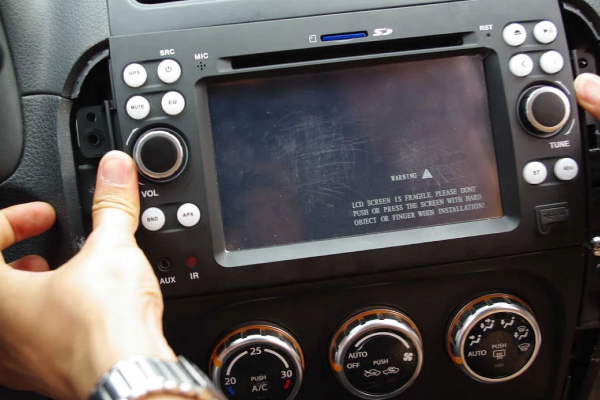
Modern touchscreen stereos can suffer from software glitches that cause random resets.
Credit: www.nunoo-auto.com
Preventing Future Stereo Reset Problems
An ounce of prevention is worth a pound of cure. Here’s how to keep your stereo from resetting in the future:
- Check your battery health every six months, especially before winter.
- Use high-quality wiring harnesses and adapters when installing any stereo.
- Ensure all ground connections are clean, tight, and attached to bare metal.
- Keep the stereo and dash area free of dust and debris to promote airflow.
- Avoid overloading your car’s electrical system with too many aftermarket accessories.
- Update your stereo’s firmware regularly if the manufacturer provides updates.
When to Seek Professional Help
If you’ve checked the battery, wiring, fuses, and software and the problem continues, it’s time to call in a professional. Modern cars, especially those with factory-installed infotainment systems, have complex electrical architectures that can require specialized diagnostic tools. A car audio specialist or a good auto electrician can quickly identify issues that might take you hours to find.
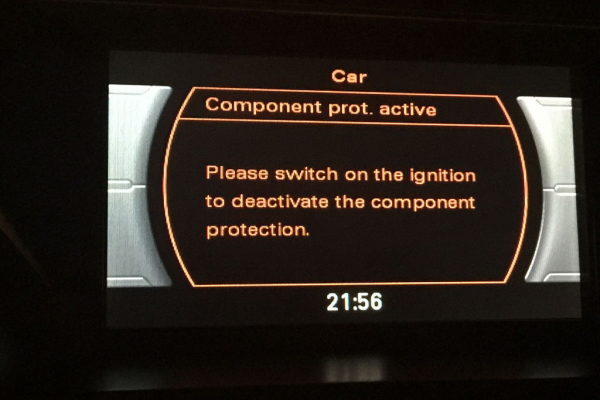
A professional can diagnose complex electrical issues in modern vehicles.
Credit: www.nunoo-auto.com
Frequently Asked Questions
Why Does My Car Stereo Reset Every Time I Turn Off the Ignition?
This is the classic memory wire problem. The yellow wire, which should be connected to a constant 12V power source, is likely connected to a switched power source or not connected at all. When the ignition is turned off, the stereo loses all power and forgets its settings.
Is a Resetting Stereo a Sign of a Bigger Electrical Problem?
Sometimes, yes. If you also notice dimming headlights, slow power windows, or other electrical oddities, the issue may be a failing battery or alternator. It’s wise to have your car’s charging system tested.
Can a Blown Fuse Cause My Car Stereo to Reset?
Yes. A blown or weak fuse can cause a complete or intermittent loss of power. Always replace a blown fuse with one of the same amperage rating.
Will Replacing the Car Stereo Fix the Resetting Problem?
Not necessarily. If the root cause is a wiring issue, a bad ground, or a failing battery, a new stereo will have the exact same problem. Only replace the stereo after you’ve confirmed all power and ground connections are correct.
Where Can I Learn More About Car Stereo Wiring and Troubleshooting?
For detailed wiring diagrams and installation guides, reputable resources like Crutchfield offer extensive, model-specific information. You can also find helpful community advice on automotive forums.
Conclusion
A car stereo that keeps resetting is a frustrating problem, but it’s almost never a dead end. By understanding the two power sources your stereo depends on and methodically checking the battery, wiring, ground, fuses, and software, you can pinpoint the cause and fix it yourself in most cases.
The key takeaway is to diagnose before you replace. Start with the simplest checks—battery voltage and the memory wire connection—and work your way through the list. In the vast majority of situations, the fix is a simple matter of cleaning a terminal, tightening a connection, or reconnecting a wire.
If you’ve worked through all the steps and the problem persists, don’t hesitate to consult a professional. Your next step is to grab a multimeter and check your battery voltage. It’s the quickest, easiest way to start narrowing down the problem and get your music back on the road.

Leave a Reply