
The check engine light can turn a normal drive into a source of stress. Is it a loose gas cap, a failing sensor, or something expensive? Without data, you are guessing. An OBD2 scanner removes the guesswork by letting you read the diagnostic codes your car’s computer has already stored. Once you know how to use one, you can often save money, avoid unnecessary repair bills, and make smarter decisions about when to call a mechanic.
This guide walks you through everything from locating the OBD2 port to reading live sensor data. You do not need to be a mechanic to follow along. If you can use a smartphone and follow a menu, you can use an OBD2 scanner. You can also read our guide on does obd2 scanner work on bmw.
What Is an OBD2 Scanner?
An OBD2 scanner is a handheld device or smartphone adapter that plugs into your car’s OBD2 port. OBD stands for On-Board Diagnostics, and the “2” refers to the second generation of the standard, which has been required on cars and light trucks sold in the United States since the 1996 model year. Current 2026 models still use the same 16-pin port, so learning this skill stays useful.
The scanner communicates with your car’s engine control unit, or ECU. The ECU monitors systems such as fuel delivery, ignition, emissions, transmission, and sometimes brakes and airbags. When it detects a problem, it stores a diagnostic trouble code, or DTC. The scanner reads that code and displays it in a readable format. For more on this, see our guide on can you use obd2 scanner while driving.
There are two broad categories of scanners:
- Basic code readers show and clear codes. They are simple, affordable, and ideal for checking why a warning light is on.
- Advanced scan tools offer live data, freeze frame data, emissions readiness checks, and sometimes bi-directional controls that let you command parts like fuel pumps or solenoids to turn on.
A basic scanner is often enough for a daily driver. You can always start simple and upgrade later if you need deeper data.
Why Every Driver Should Have One
The biggest benefit is financial. A single diagnostic visit at a shop can cost more than a basic scanner. Owning one means you can check a warning light at home, within minutes, instead of waiting for an appointment. For more on this, see our guide on do you turn car on when using obd2.
There is also an information advantage. When you walk into a shop already knowing the code, you can have a more productive conversation. You can ask “Does code P0171 usually mean a vacuum leak or a MAF sensor problem?” instead of simply saying “The light is on.” That simple difference can prevent unnecessary repairs.
How OBD2 Scanners Work
Your car’s ECU continuously monitors sensor inputs. If something falls outside the expected range, it logs a DTC. Some codes trigger the check engine light immediately, while others only set a pending code until the problem repeats. For more on this, see our guide on how to check car battery health with obd2.
OBD2 has been required by U.S. federal emissions regulations since the 1996 model year, and the U.S. Environmental Protection Agency oversees that requirement. The physical connector, pin layout, and communication protocols are also standardized by bodies like the International Organization for Standardization. That is why one scanner can work across many different vehicle brands.
The scanner acts as a translator. It sends a request through the data pins, the ECU responds with codes and sensor values, and the scanner displays them on a screen or in a smartphone app. For more on this, see our guide on can i use a regular vacuum cleaner for.
Reading Diagnostic Trouble Codes
A DTC looks intimidating at first, but it has a simple structure.
The first letter identifies the system:
- P = Powertrain (engine, transmission, emissions)
- B = Body (airbags, power windows, doors)
- C = Chassis (brakes, suspension, steering)
- U = Network (communication between modules)
The first digit tells you whether the code is generic or manufacturer-specific:
- 0 = Generic, defined by the OBD2 standard
- 1 = Manufacturer-specific
The remaining digits point to the specific fault.
For example, P0300 means a random or multiple cylinder misfire. P0455 means a large evaporative emissions system leak, which is often just a loose gas cap. A scanner may also show a short description like “System Too Lean, Bank 1” for code P0171.
 Credit: www.youtube.com
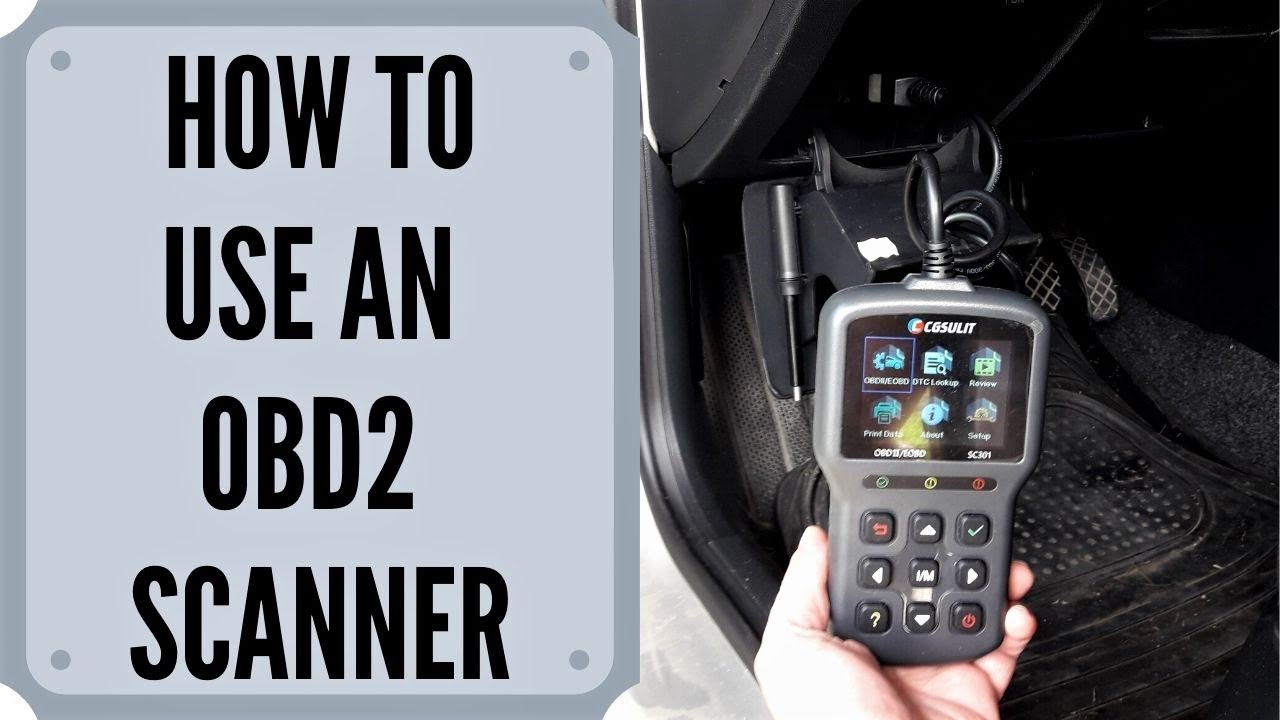
A scanner shows the code and a short text description, but diagnosis should not stop there.
Credit: www.youtube.com
A scanner shows the code and a short text description, but diagnosis should not stop there.
Common OBD2 Codes at a Glance
| Code | System | What It Usually Means |
|---|---|---|
| P0300 | Powertrain | Random or multiple cylinder misfire |
| P0171 | Powertrain | System too lean, bank 1 |
| P0420 | Powertrain | Catalytic converter efficiency below threshold |
| P0455 | Powertrain | Large evaporative emissions leak |
| C0035 | Chassis | Left front wheel speed sensor malfunction |
| B0020 | Body | Airbag deployment circuit issue |
| U0121 | Network | Lost communication with ABS control module |
These are starting points, not final verdicts. A code like P0420 can be caused by a bad oxygen sensor, an exhaust leak, or a failing catalytic converter. You still need to verify the root cause before replacing parts.
Step-by-Step: How to Use an OBD2 Scanner
Using a scanner takes about ten minutes the first time. The process is nearly identical across brands.
Step 1: Find the OBD2 Port
The port is a trapezoid-shaped 16-pin connector, usually black or gray. Common locations include:
- Under the dashboard, near the steering column
- Below the glovebox
- Behind a kick panel on the driver’s side
- Near the center console, under the radio
If you cannot find it, check the owner’s manual or search your vehicle model online. On some European and Asian cars, there may be a plastic cover that must be removed first.
 Credit: www.autonationmobileservice.com
The 16-pin OBD2 port usually sits under the driver’s side dash.
Credit: www.autonationmobileservice.com
The 16-pin OBD2 port usually sits under the driver’s side dash.
Step 2: Turn the Engine Off
Connect the scanner with the engine off and the key out of the ignition. This prevents electrical spikes and makes it safer to plug in the connector. You will turn the ignition back on in the next step, but the engine stays off.
Step 3: Plug In the Scanner
Push the connector into the port until it seats firmly. It only fits one way, so do not force it. If it does not slide in easily, check that the port pins are not bent and that the connector is oriented correctly.
Step 4: Turn the Ignition to the ON Position
Insert the key and turn it to the position where dashboard lights come on, but do not crank the engine. On cars with a push-button start, press the start button once without your foot on the brake, or press and hold if needed to enter accessory mode. This powers the scanner through the OBD2 port.
Step 5: Power On and Pair the Scanner
Most wired scanners turn on automatically. Wireless adapters may require you to open a smartphone app and pair the device over Bluetooth or Wi-Fi. If your scanner asks for vehicle information, select the correct make, model, engine, and year when prompted.
Step 6: Read the Codes
Choose “Read Codes” from the main menu. The scanner will communicate with the ECU and display stored codes. Some scanners also show pending codes, which are codes that have not yet triggered the check engine light. Write down every code, including the code definitions if displayed.
Step 7: Record Freeze Frame Data
Many scanners show freeze frame data alongside a code. This is a snapshot of engine conditions at the moment the fault occurred, including engine speed, coolant temperature, fuel trim, and vehicle speed. Write it down before clearing anything. This information can help a mechanic identify the cause.
 Credit: www.homedepot.com
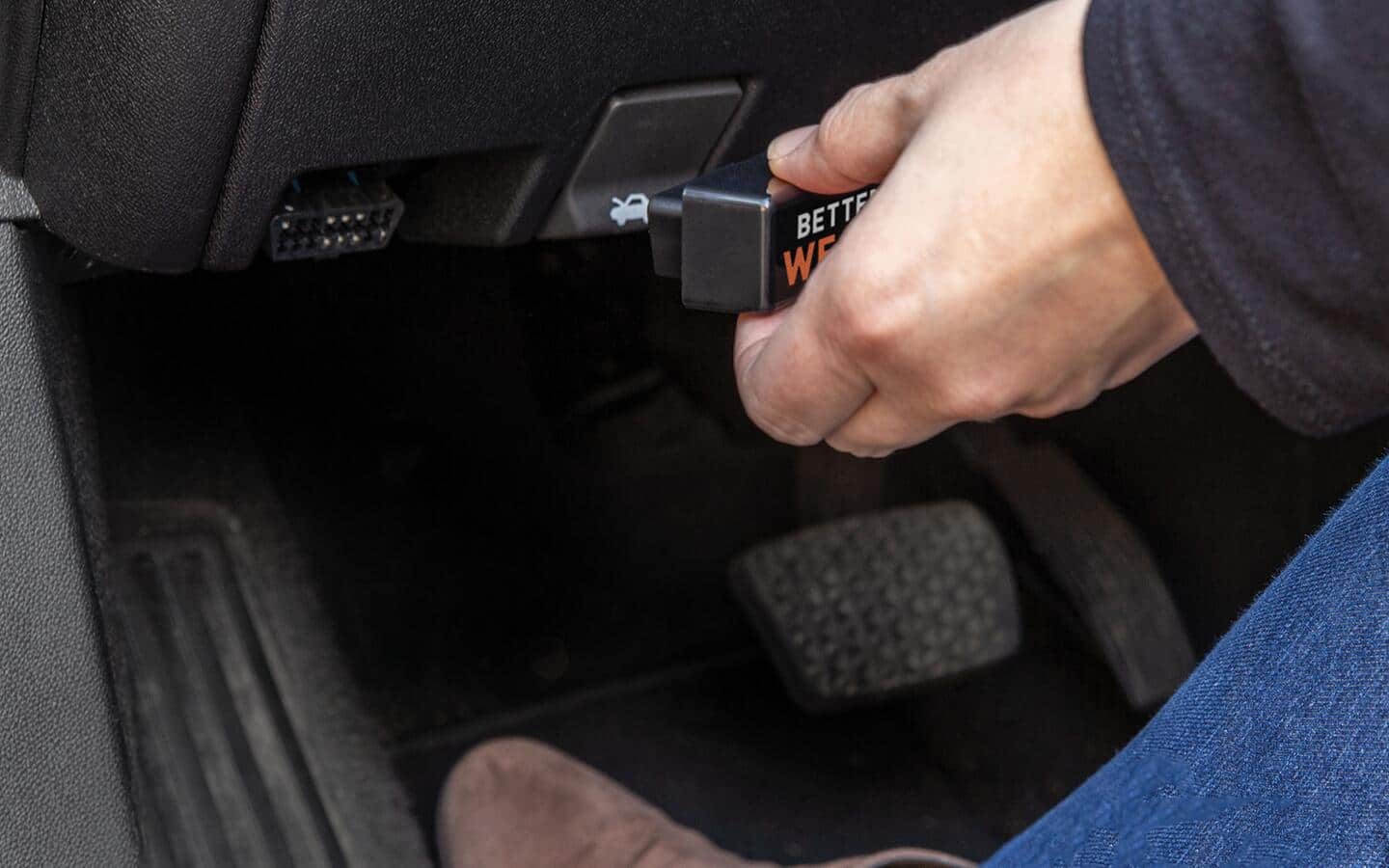
Once connected, reading the codes takes less than a minute.
Credit: www.homedepot.com
Once connected, reading the codes takes less than a minute.
Step 8: Clear the Codes Only After You Fix the Problem
Clearing a code turns off the check engine light, but it does not solve the problem. If you clear a code without repairing the cause, the light will return, often within a few drive cycles. Use the “Clear Codes” or “Erase Codes” option only after you have made a repair or verified that the issue is intermittent and confirmed with live data.
Choosing the Right OBD2 Scanner
Not every scanner fits every need. The right choice depends on how much control you want and how deeply you plan to diagnose.
| Type | Typical Price | What It Does | Best For |
|---|---|---|---|
| Basic code reader | $20–$60 | Reads and clears codes, shows definitions | Owners who mainly want to understand the check engine light |
| Bluetooth or Wi-Fi adapter | $25–$120 | Uses a smartphone app, adds live data and logging | Tech-savvy drivers who want more data without buying a big screen |
| Professional scan tool | $150–$1,000+ | Module tests, bi-directional controls, advanced resets | Mechanics, advanced DIYers, and serious hobbyists |
Prices are approximate and vary by brand. A $30 code reader is not a wise investment if you plan to monitor oxygen sensor operation. A $700 professional scan tool is overkill if you just want to check whether the fuel cap is causing a code.
Compatibility matters as much as price. Most vehicles built after 2008 use the CAN protocol, and nearly all modern scanners support it. Older vehicles may require multi-protocol support. European brands also have quirks, so check European vehicle compatibility before buying if you drive one.
Advanced Features Worth Using
Once you are comfortable with basic code reading, explore these features on your scanner or app.
Live Data
Live data shows real-time sensor values. You can watch engine RPM, coolant temperature, calculated load, fuel trim, and oxygen sensor voltage while the engine runs. This is useful for verifying whether a repair actually worked. For example, a fuel trim reading that stays outside its normal range can reveal a vacuum leak even when no warning light is on.
Freeze Frame
Freeze frame data is the most underused diagnostic tool. It records the exact operating conditions when a code was set. If you see a misfire code, the freeze frame will tell you whether it happened at idle, under load, or at highway speed. That clue narrows down the cause dramatically.
Emission Readiness Monitors
Before a smog check, your car runs self-tests called readiness monitors. A scanner can show whether those monitors are complete or not. If a monitor is incomplete, the car may fail an emissions inspection even if the check engine light is off.
Mode 6 Data
Mode 6 reports test results from components that are continuously monitored, such as catalysts, oxygen sensors, and misfires. It gives more detail than a simple pass/fail code. This is an advanced feature, but many affordable Bluetooth scanners support it.
Actuation Tests
Professional scanners can command actuators like fuel injectors, cooling fans, and solenoids to turn on and off. This helps confirm whether a part physically works. It is a powerful feature, but it should be used carefully because you are controlling live systems.
Practical Tips for More Accurate Diagnostics
The way you run a scan can affect the results. These habits will save you from chasing the wrong problem.
- Always write down codes before clearing them. You will need those codes if the problem comes back.
- Do not clear codes to make a warning light disappear unexpectedly. The light is information, not your enemy.
- Check pending codes as well as confirmed codes. A pending code is an early warning sign and can appear before the check engine light turns on.
- Look up the code definition, but do not stop there. The code tells you where to look, not what is broken. P0300, for example, can be caused by spark plugs, coils, fuel pressure, or compression issues.
- Warm the engine before reading live data. Many sensor values, like fuel trims and oxygen sensor readings, only stabilize at operating temperature.
- Keep the scanner’s software updated. Some budget scanners allow firmware updates through a computer or phone app. Newer updates may fix bugs or expand coverage.
- Learn the menus. Most scan tools have a simple layout, and if you are comfortable changing your stereo's menu settings on your car, you can handle a scanner.
Common Mistakes to Avoid
Beginners often make the same errors. Knowing them in advance will save you time and money.
- Clearing codes without fixing the cause. This is the most common mistake. It is also the easiest way to waste time, because the code will return.
- Ignoring freeze frame data. Clearing a code destroys the freeze frame if you do not record it first. That snapshot is often more valuable than the code itself.
- Buying a scanner that does not support your car’s protocols. A scanner designed for older vehicles may not communicate with a modern CAN-bus system.
- Forcing the connector into the port. Bent pins are an expensive repair. If the connector does not fit easily, stop and realign it.
- Replacing parts based on one code. A code like P0420 can be caused by an exhaust leak, a faulty rear oxygen sensor, or a bad catalytic converter. Test before you buy parts.
- Using live data on a cold engine and misinterpreting it. Some values only make sense once the engine reaches normal operating temperature.
When to Call a Mechanic
An OBD2 scanner is a powerful tool, but it is not a replacement for professional judgment. Seek expert help in these situations:
- The code relates to a safety system, such as airbags or brakes.
- The same code returns immediately after clearing it.
- The scanner cannot communicate with the ECU, which may point to a wiring fault or module failure.
- The car has drivability symptoms like heavy misfires, strange smells, smoke, or abnormal noises.
When you do visit a mechanic, bring the codes and freeze frame data. That information can reduce diagnostic time and help the mechanic focus on the real problem instead of starting from zero.
Caring for Your Scanner and Keeping Your Car in Shape
An OBD2 scanner is an electronic tool, and a little care extends its life.
- Store it in a dry place, ideally in its case or a zippered pouch.
- Keep connector pins clean and free of debris.
- Do not expose it to water or extreme heat.
- Check the cable and connector for damage before each use.
- Update the scanner’s software or app when updates are available.
A scanner helps with the mechanical side of ownership, but a complete car care routine also includes the cabin. After a weekend of diagnostics, keep the interior clean so small problems do not hide under clutter. A suitable car vacuum makes this job quicker and more thorough. At a pinch, regular household vacuums can handle quick cleanups, but they have limitations. If you have kids or pets, reaching crumbs under the seats becomes a weekly task on its own.
Frequently Asked Questions
How do I know if my car supports an OBD2 scanner?
Cars and light trucks sold in the United States from 1996 onward have the standard 16-pin OBD2 port. Many vehicles sold worldwide after 2001 also support it. If your car has the port under the dashboard, it supports OBD2.
Can a scanner damage my car?
No, an OBD2 scanner is a passive device that reads data. It only sends commands when you use advanced features like actuation tests. Do not force the connector, and avoid using a scanner while driving unless the software and hardware are designed for that.
Why does the scanner show no codes even though the check engine light is on?
Some issues are not emissions-related and therefore do not set a standard OBD2 code. The scanner may also lack support for certain modules, or the problem may be intermittent. Try reading manufacturer-specific codes or let a professional perform a deeper scan.
Can I clear the check engine light with an OBD2 scanner?
Yes, most scanners have a clear or erase code function. The light will go off, but if the underlying problem remains, the light will come back after a few drive cycles. Clear codes only after you have fixed the cause.
What is a pending code?
A pending code is a fault that has been detected once but has not yet met the conditions to turn on the check engine light. It is an early warning sign. You should investigate it before it becomes a confirmed code.
What is the difference between OBD1 and OBD2?
OBD1 was used before 1996 and varied from manufacturer to manufacturer. It required different adapters and often provided very little information. OBD2 is a standardized system with a universal connector and more detailed data. For vehicles made after 1996, always use an OBD2 scanner.
Conclusion
An OBD2 scanner is one of the most practical investments you can make as a car owner. It turns a cryptic warning light into a clear starting point, gives you confidence when talking to a mechanic, and helps you catch issues before they turn into expensive repairs. You do not need advanced skills to use one, but you do need to understand that a code is a clue, not a final diagnosis.
If you do not own a scanner yet, start with a basic code reader or a Bluetooth adapter and run your first scan this weekend. Just read the codes, write them down, and resist the urge to clear anything until you know what the problem is. For more hands-on car care, browse other practical car care guides in our library.

Leave a Reply