
A turbocharger can transform a small engine into a responsive one, but it also adds a part that needs monitoring. When power drops, boost stops coming on, or a check engine light appears, the fastest way to get answers is often plugged into the OBD2 port. A turbo performance check in an OBD2 scanner lets you see what the turbo is doing in real time, compare it to your own baseline, and catch problems before they turn into expensive turbo damage.
This guide shows you exactly how to run that check, which data matters, where generic OBD2 tools fall short, and what to do with the readings you get. You can also read our guide on how to check car battery health with obd2 scanner.
What Is a Turbo Performance Check?
A turbo performance check is a focused diagnostic session that measures how much boost the turbocharger is producing and how the engine responds to it. The turbo compresses air before it enters the engine. More compressed air in the cylinder means the engine can burn more fuel and produce more power. When the turbo cannot provide the expected air pressure, performance suffers.
With the right OBD2 scanner, you can measure:
- Boost pressure through the manifold pressure sensor
- Intake air temperature after the intercooler
- Engine RPM and throttle position to understand load
- Manifold absolute pressure and atmospheric pressure
- Fuel trims
- Error codes that relate to the turbocharger system
This is more useful than a simple code check. Live data lets you see whether the turbo is struggling under load instead of just telling you that a problem exists.
Key OBD2 Data for Turbo Performance Checks
| Data Point | What It Tells You | What To Watch For |
|---|---|---|
| Boost pressure (MAP) | How much compressor pressure the engine is seeing | Dropping under load, spikes, or poor throttle response |
| Intake air temperature | How hot the air charge is entering the engine | High temps after only one full pull |
| Engine RPM | When the turbo begins to build boost | Lag above a certain RPM |
| Throttle position | Whether the engine is actually at full load | Boost target not reached with 100 percent throttle |
| Fuel trims | Whether the mixture is adjusted to compensate | Long positive or negative trims |
| Stored trouble codes | Turbo-related faults | P0299, P0234, P0244 |
You do not need to be a professional to read these values. You simply need a scanner that can display live data and a safe place to drive.
Why Use an OBD2 Scanner for Turbo Checks?
An OBD2 scanner is a direct way to talk to the engine control unit. It connects through a standardized diagnostic port, think of it as the engine's data port.
Turbochecks with a scanner have several advantages:
- It records sensor values that even a mechanical gauge cannot tell
- It can capture data while you drive, not just at idle
- It reads the same diagnostic codes that a repair shop uses
- It creates a repeatable baseline on your car
- It reduces how much guesswork is involved in a boost problem
But a scanner is not a dyno. It will not make pure power levels. It would not measure turbocharger shaft play or oil consumption. You still need to inspect the mechanical condition. What a good scanner does is tell you which sensor, circuit, or pressure range is acting up.
For anyone new to investigate the engine controls, the EPA’s onboard diagnostics program is the official starting point for emission-related monitoring. Since 1996, this protocol has been the standard for engine diagnostics in most road vehicles. standardized diagnostic protocol.
Not All OBD2 Scanners Are Equal for Turbo Data
A simple OBD2 code reader is not the same as a live data scanner. If you plan to monitor boost, buy a device or app that can display the actual manifold absolute pressure PID.
| Scanner Type | Turbo Data Practical | Best Use |
|---|---|---|
| Basic code reader | Trouble codes only | Checking P0299 and clear codes |
| OBD truck adapter | Real-time PID data, MAP, IAT, RPM | Most turbo diy |
| Professional scan tool | Enhanced turbo diagnostics, actuator test, special commands | Deep repair shop |
A Bluetooth OBD2 adapter combined with a good phone app is normally enough for a turbo performance check in an OBD2 scanner. It give you the live data session and lets you log information for later. A professional scanner worth the cost only if you plan to test wastegate actuators, run forced regeneration, or work on several makes.
If you are new to automotive measurement, a Bluetooth adapter is the lower-risk choice. The display is customizable and you can create your own gauges before you drive.
How To Perform a Turbo Performance Check
To get accurate results, follow the same steps every time that feel.
Step 1: Check for codes first
Plug the adapter into the OBD2 port under the dash and ignite. Read the current trouble codes and write them down. Do not erase them yet. The freeze fame data behind these codes is more valuable than the visual of the code itself. It shows engine speed, load, and coolant temp from the moment the fault was recorded.
Step 2: Select live data mode Open the app, enter the live data menu, and add the following PIDs:
- MAP or "intake manifold pressure"
- Intake air temperature
- Engine speed
- Throttle position
- Fuel correction
- Ignition timing
- Vehicle speed
Some apps label these differently, but the scanner will find them under the diagnostics menu after you.
Step 3: Record an essential baseline at key-v Start the engine and let it warm up. At idle, note the MAP pressure and temperature. Near sea, the manifold pressure should be in vacuum, not in the same level of air gap. As you press on the pedal it should gradually rise into positive kPa.
Step 4: Take a full throttle test Find a safe, dry road. When the engine is at normal operating temp, accelerate with moderate under full throttle, from about 1,500 rpm to redline in second or third gear. Watch the live values as you drive.
Be careful: only perform a full throttle test on a public road if it is legal and safe. After a clear, read off the scanner or phone app.
Step 5: Log the readings and compare Most OBD apps let you record numerical readings during the test. Save the log. Next time you suspect a turbo problem, run the exact same distance and gear comparison. The difference between good and bad is often far more obvious than the raw number.
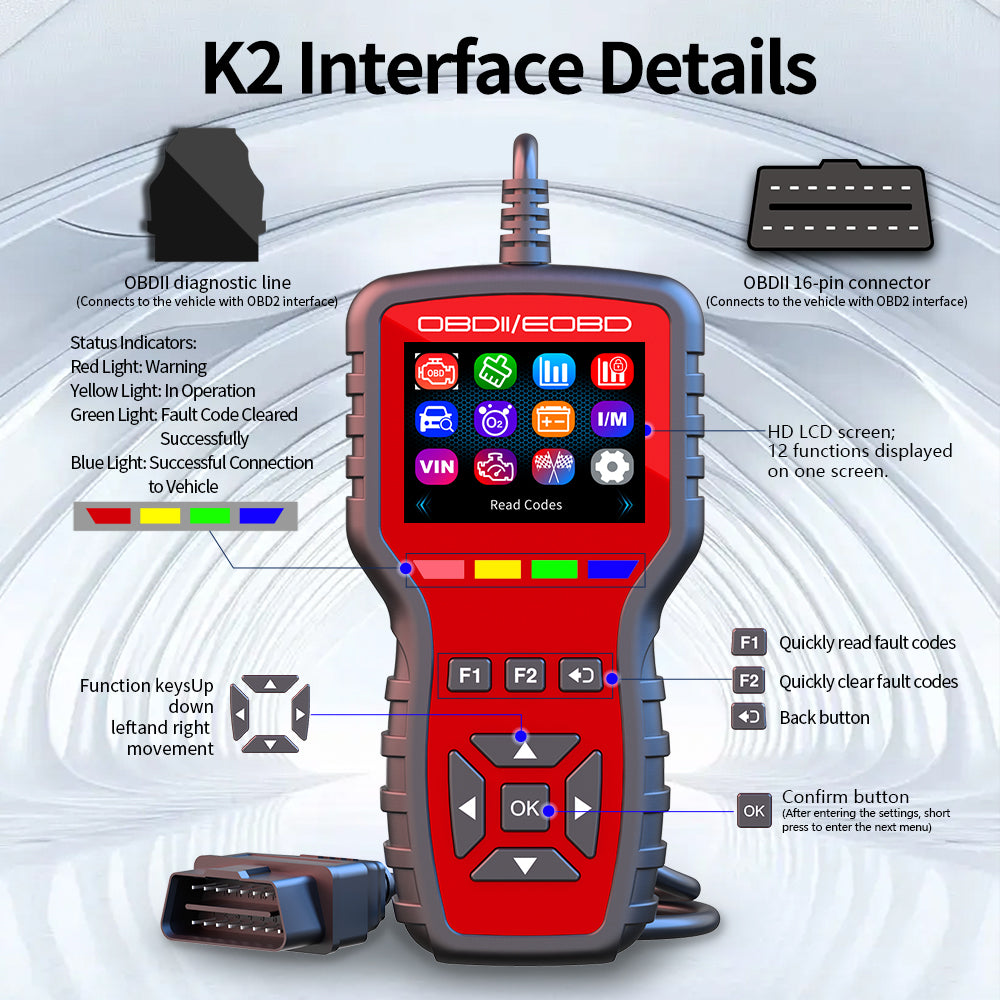
The key is collecting data during a real driving, not simply reading codes at idle.
Credit: www.daierswitches.com
What a Normal Turbo Reading Looks Like
It is impossible to minimum one speed for all turbo cars. Boost targets vary a wide range. A small 1.0 liter turbo might produce roughly 12 ps, while a diesel tuner can see over 20 psi.
Use these rules starts:
- Boost pressure with full throttle should rise quickly when the turbo builds spoiling
- MAP pressure should be stable at full load, not oscillate
- Intake air temperature should not climb to absurd levels after one pull
- Throttle position should show 80 to 99 percent during a full test
- **A missing, fault code should not appear as the turbo loses pressure
If you already know that your car made 15 ps with the old scan, then dropping below 8 is a problem. You need a good catalog of readings from your own car before, not from another car.
Common Turbo Codes and What to Do When They Appear
| Code Tendability | Typical Meaning | Likely Fix |
|---|---|---|
| P0299 | The turbo is boosting less than the target | Bug magni, cracked boost line, bad actuator |
| P0234 | Overboost from turbo mode | Stuck wastegate, actuator of worn canister |
| P0236 | MAP sensor circuit more | Check ABA sensor plug and boost |
| P0244 | Ex advancement control valve | control, sensor, or charger |
| P161B | Internal readinate unit | spec shell, more specific |
Do not treat a code as the final answer. A code like P0299 is a category, not a complete diagnosis. It only says that the engine control unit measured less pressure than it expected. You still have check the hoses, wastegate, actuator, and air intake before replacing parts.
The same OBD scanner can also help you confirm the fix. Change the unreliable hose, then restart the log. If boost returns to normal and the code comes as pending, you have solved the problem with detailed confidence.
Non-Obvious Differences While Reading Data
Tablet Master should not confuse with boost gauge
Some dash gauges read "psi of boost" and 0 at atmospheric. But many OBD apps display MAP in absolute pressure. At sea, absolute pressure can near 14.7 psi when the engine is off, so 28 psi absolute is roughly 13.3 psi of real boost. If you are comparing to a gauge which shows 0 before boost, you need to subtract atmospheric pressure. Otherwise, you will think the car is producing more boost than is:
Intake air temperature is often more valuable than boost
Hot air after the turbo reduces density and increases the risk of knock. If the engine is pulling ignition timing because the temperature is too hot, the main cause can remain hidden. The power is gone. A cold IAT in a pull is a good sign for reliability.
Altitude changes the data
At higher altitude, atmospheric pressure is lower, so an absolute compression gauge reading will rise slower. The same turbo can see lower absolute boost on a mountain road than at sea level. Do not compare mountain and sea reading. On a 2500 meter mountain, a simple boost readout will disappoint you, while the turbo may still be executing perfectly.
Error codes can appear even without any sensor actually broken
Oil in socket, contaminated power spikes, and broken connector pins can cause turbo codes too. That is why using an OBD test alone is not enough. Hand checking wiring, hoses, and shaft play are always part of a real turbo check.
What a Turbo Performance Check Does Not Cover
- Wastegate wire jamming: It can appear as a P0299 or P0234, but the scan cannot see the propeller stick with your own eyes.
- Engine oil and "oil starvation": If your turbo cannot be damaged, the manifold may be hot but no dashboard point. Check its supply and rust, and do not rely on processors for maintenance.
- Seized turbocharger shaft with a disconnected power drive 07/25/25 07/25/2025
These are mechanical problems. Use of the OBD for mechanical inspection is not alternative. No change.
Comparing Turbo Performance with a Broader Engine Check
A turbo scan is not the same as a general live data diagnostic. General engine health focuses on ignition, fuel trim, and oxygen sensors. Turbo diagnostic focuses on the forced induction circuit.
| Local Geature | |
|---|---|
| Tune | Focusing: |
| MAP | Preboost, boost spike, intake temp, short-term code. |
| Job | Manufacturer, Boost between gauge, valve, clamping |
| Result | Raw power and boost, fuel, |
This is why some cars have no turbo code even with amount of worn blade. They are lowest to a non-turbo condition.
Better to enlarge with OBD2. You may want to use a garage vacuum for cleaning?
Because a turbo performance check focuses on engine range, do not forget the rest of basic regulatory vehicle checks. While the annoying electronics are already under your care, it is a convenient moment to wash away the soft mess before opening the compartment.
Remove loose leaves and sand collected under seatsbefore the crossing. A ** regular internal check cabin** is not “control” but it keeps the cabin tidy.
Pull the seat forward and vacuum along the base tracks where grit settles. A clean cabin makes it easier to notice loose items that could roll under the pedals — or worse, jam a seat rail. If you are unsure whether your household vacuum will handle the job, household vacuum suitability is a quick read before you buy anything new. For a dedicated tool, choosing a suitable vacuum matters more than brand. And once a season, work through a deep-seat cleaning so embedded dirt does not grind into the fabric.
With the interior sorted, plug the OBD2 adapter back in and move on to the practical side of scanner selection.
Choosing the Right OBD2 Scanner for Turbo Checks
When you shop for a scanner to check turbo performance, ignore marketing phrases like "all systems" and focus on four real capabilities:
Live data display. Without it, you get codes but no pressure readings. The scanner must show PIDs in real time, not just freeze-frame snapshots.
MAP or boost pressure support. Some cheap OBD2 dongles do not expose the intake manifold pressure PID correctly to third-party apps. Look for "mode 01" support and confirm the app lists manifold pressure explicitly.
Data logging. Boost faults often appear only under load. The ability to save a drive and replay it later is more valuable than a fancy gauge display.
Turbo-related code coverage. P0299 and P0234 are generic and show on nearly every reader. Enhanced functions like wastegate actuator tests require a more capable scan tool.
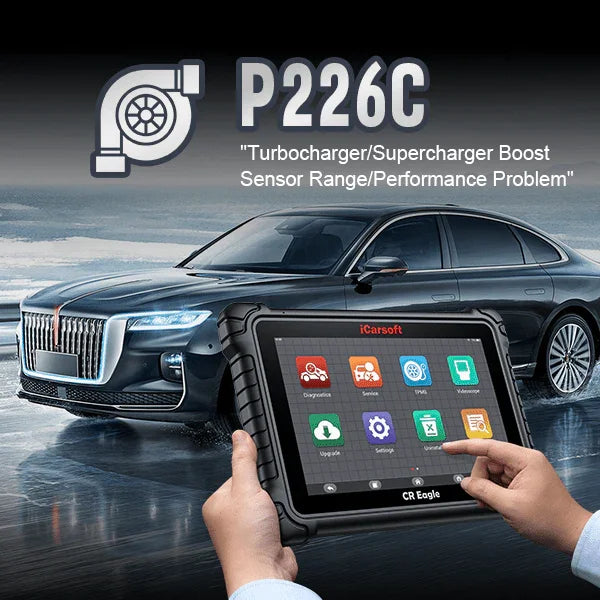
A code reader can tell you the DTC, but a live-data capable scanner reveals the sensor output behind it.
Credit: www.icarsoft-us.com
A common mistake is buying a $20 code reader and expecting a boost graph. Entry-level readers only display confirmed codes and a handful of generic values. A Bluetooth adapter paired with a good app is the best value for most turbo owners. Professional tools are worth the upgrade only when you work on multiple vehicles or need bidirectional actuator testing.
Benefits of Regular Turbo Performance Checks

A regular logging session — not just a one-time code scan — turns diagnostics into a habit that catches boost problems early.
Credit: www.rev6sports.com
Checking the turbo every few months pays off in four concrete ways:
- Faster diagnosis. When a warning light appears, you already have a baseline to compare against.
- Lower repair bills. Finding a cracked boost hose when it produces 8 psi instead of 3 psi limits secondary damage to the MAF sensor and intercooler.
- Longer turbo life. Stable boost and reasonable intake temperatures reduce thermal stress on the turbine housing and bearing.
- Safer long trips. Knowing the car holds boost on an uphill pass keeps you from being surprised mid-journey. If you carry extra fuel on the roof for longer routes, solid fuel storage setups pair naturally with a mechanical check before departure.
Frequently Asked Questions
How Do I Know If My OBD2 Scanner Supports Turbo Data?
Check the specifications for "live data" and "MAP sensor" support. If the product only says "reads and clears codes," it will not display boost pressure. Many Bluetooth adapters handle live data, and the app takes care of the rest.
What Error Codes Are Most Common For Turbo Problems?
P0299 (underboost) and P0234 (overboost) are the most common. You may also see P0244 or MAP sensor range codes. These codes identify the symptom, not the failed part — always inspect hoses and actuators before replacing expensive components.
Can I Use A Cheap OBD2 Scanner For Turbo Checks?
A basic reader can pull codes but will not show live turbo data. For a genuine boost check, you need a scanner with mode-01 live data support, typically a Bluetooth adapter or a professional unit.
Is It Safe To Drive With A Turbo Error Code?
It depends. A brief underboost that triggers limp mode is usually safe to drive home slowly. Loud turbo noise, oil smoke, or vibration means stop driving immediately. At minimum, scan the code before your next trip.
How Often Should I Check My Turbo With An OBD2 Scanner?
Every three to six months as part of routine maintenance, plus any time you notice a loss of power. If you drive at high altitude or in hot climates, check more frequently.
Conclusion
A turbo performance check in an OBD2 scanner is not about chasing one impressive boost number. It is about establishing a baseline for your own car and noticing when something drifts from it. A scanner with live MAP pressure, intake temperature, and RPM will catch most boost problems before they damage the turbo housing or bearings. Pair that data with a physical check of hoses, actuator, and shaft play, and you have a diagnostic routine that rivals a paid shop inspection.
Your next step is simple: get an OBD2 scanner with live data support, log one clean acceleration run on a safe road, and save those numbers. That baseline becomes your reference for the next six months. When the check engine light eventually appears, you will already know exactly what "normal" looks like — and that is what turbo diagnostics should always be about.

Leave a Reply